
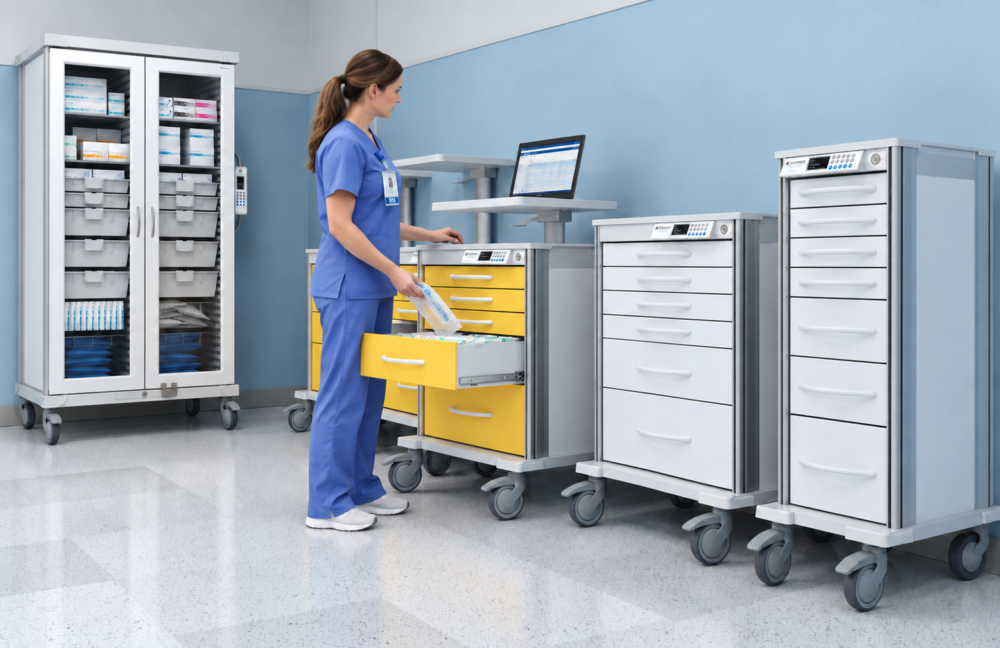
Nursing workflow is inherently complex. Patient needs change, priorities shift, and interruptions are normal parts of the job. Clinicians are constantly switching between direct care, charting, giving meds, talking to teams, and grabbing supplies.
What shouldn’t be accepted as part of the job? Frustration caused by a bad physical setup.
A missing supply, an unavailable computer, a messy cart, or a workstation located several rooms away might only seem like a minor delay. But when repeated dozens of times a shift, these recurring interruptions in work flow eat up precious time. They add extra steps, force workarounds, and drain mental energy without improving patient care.
The research backs this up. In a study of over 11,000 nurses across 415 U.S. hospitals, found that nearly 35% frequently dealt with missing supplies or broken equipment. Almost 31% spent a large portion of their day performing non-nursing tasks, and 27.5% spent significant time working around operational failures. Unsurprisingly, these constant roadblocks lead directly to poorer patient outcomes and nurse burnout.
Point-of-care workstation design can’t address every source of workplace stress, but it can greatly reduce a significant amount of preventable friction by putting the right tech, tools, and supplies exactly where nurses actually work.
Point-of-Care Design as a Workflow Strategy
Point-of-care workstations shift resources away from central supply rooms and nurses’ stations, putting them right in or next to patient rooms.
Because RNs, LPNs, CNAs, and nurse practitioners all interact with storage and workstations differently, it makes sense to design around shared daily tasks rather than a single job title.
Point-of-care setups often include:
- Mobile computer workstations or computers-on-wheels (COWs)
- Procedure-specific supply, med, or treatment carts
- Wall-mounted storage and fold-down desks
- Modular cabinets in patient rooms
- Dedicated emergency or specialty carts
The key objective isn’t just stuffing more supplies into patient rooms. It’s about organizing the space around task order, room layout, ergonomics, and infection control so clinicians can grab what they need quickly and safely.
Cut Down on Unnecessary Steps
Walking is an expected part of nursing, but excessive, unnecessary walking doesn’t have to be.
A 2022 study tracking 117 nurses across 351 shifts found that nurses walked an average of 3.6 miles per 9-hour shift. ER and ICU nurses logged even more miles.
Not every step can be eliminated, but it’s worth asking: How many steps come from resources being in the wrong place?
Every time a nurse leaves a room to grab a routine item, return to a central desk to chart, or hunt down an available cart, their workload increases. While the individual trip is small, the cumulative exhaustion over a 12-hour shift is massive.
Placing high-use supplies and mobile workstations closer to the patient cuts out that empty movement and saves physical energy for actual care.
Cart Design Matters for Ergonomics
Saving steps is only half the battle. The physical toll of the workstation matters just as much.
Cart weight, wheel quality, handle placement, desk height, and drawer reach all impact how much effort a cart takes to use. A heavy medical cart that’s tough to steer or drawers that force constant bending can cause physical strain. Smooth-rolling options like Pace mobile carts, built with sturdy bumpers, quiet operation, and 5-inch medical-grade casters, make moving equipment around the floor feel far less physically demanding over a 12-hour shift.
Good workstation design can’t remove every physical demand of nursing, but considering ergonomics prevents the equipment from making a hard job even harder.
Reduce Mental Fatigue with Simple Standardization
Having supplies nearby doesn’t help much if you can’t find them.
Point-of-care healthcare storage should make supplies easy to spot and grab immediately by using clear layouts and color-coded labels. Using trays, baskets, and adjustable dividers help teams customize internal layouts, holding significantly more organized inventory than a wide open drawer.
Standardization is especially important across workstations that serve the same function. If every procedure cart is organized differently, a clinician must stop and visually search each time they use an unfamiliar cart. When drawer locations and supply categories are standardized, staff will become familiar with the setup and retrieve supplies with less conscious effort. This is crucial when an RN, LPN, or CNA floats between units, or a nurse practitioner covers multiple treatment rooms.
Standardized storage also simplifies onboarding. A predictable storage model reduces the number of location-specific systems a new employee must learn.
Integrate Point-of-Care Documentation into the Clinical Workflow
Documentation is another area where workstation location can either support or fragment workflow. When electronic health record (EHR) computers, scanners, and work surfaces are separated from the location where medical care occurs, healthcare teams may need to move repeatedly between the bedside and a central documentation area. Information may also be temporarily recorded elsewhere before it is entered into the EHR, which could lead to an important healthcare decision being made without knowing all the facts.
Point-of-care technology creates an opportunity to bring charting and other documentation closer to the activity that’s being documented.
It’s important to note that the objective of a point-of-care workstation should not be to increase screen time at the bedside. It should be to allow necessary charting, barcode scanning, supply preparation, and information access to fit more logically into the sequence of care.
For workstation planning, that means evaluating questions such as:
- Is the computer or scanner available where it is actually needed?
- Does the work surface accommodate both documentation and prep work?
- Can you position equipment without getting in the way of patient care?
- Does the setup support the sequence in which staff perform the task?
- Can the workstation be cleaned appropriately between uses?
Point-of-care documentation technology and its workstation components should work together to support workflow, rather than serving as independent design decisions.
Protect Time for Direct Patient Care
Workstation design is more than a convenience, efficiency, or fatigue issue. The cumulative effect of point-of-care optimization is also about reducing work that competes with patient care.
Operational failures often trigger workarounds. A nurse who cannot find a supply may check another cart, ask a colleague, call another department, or leave the unit to retrieve it. Each workaround introduces another interruption into an already complex workflow.
A study conducted by UC Davis Health found that these workplace breakdowns lead to:
- Higher nurse burnout
- Poorer nurse-reported safety and quality ratings
- Less time for nurses to monitor patients due to constant workarounds.
Cutting down on logistical hassle gives nurses more time to focus on patient care, including assessing, monitoring, and communicating. It also helps the whole care team easily get the tools they need without getting in each other’s way.
Match the Cart to the Specialization
Standardization does not mean every clinical cart or cabinet should be identical.
A hospital’s surgical suite, ER, pediatric unit, and isolation area all have totally different supply needs, safety risks, and care sequences.
Customizing for the job
Specialized carts can support those differences without forcing a one-size-fits-all setup. Examples include:
- Crash carts
- Isolation carts
- Difficult airway carts
- Anesthesia carts
- Pediatric care carts
- IV prep carts
- Pharmacy carts
- Suture carts
- Catheter carts
- Scope or other transport carts for specific purposes
Design Carts Around Real Workflows
Buying a cart before mapping out how it will actually be used usually leads to frustration. Instead, start by watching how clinicians perform a specific task:
- What tools are used first and most often?
- The order in which supplies are typically used
- Items that require immediate visibility or access
- What features or accessories (scanner mounts, IV poles, dividers, flat work surface) would actually solve a daily hassle?
- Which items need locked storage vs. quick access?
- Where do staff constantly stop, double back, or improvise?
- What clean vs contaminated workflow sequences should be considered for optimal cart design?
Always get input from the frontline staff who are using these carts every day. A setup that seems logical on paper might actually add extra steps for an RN, LPN, or CNA when put into practice.
Selecting and configuring dedicated carts involves ensuring the right attachments as well as the right locks and safety features actually help one’s day, rather than creating friction.
Build Flexibility into Stationary Storage
Point-of-care design applies to stationary storage, too.
Traditional built-in healthcare casework is designed around the requirements known at the time of construction. But healthcare evolves fast—equipment updates, supply sizes change, and patient care needs shift.
Modular storage systems give you a direct alternative to rigid built-ins. Instead of calling maintenance for a full renovation, staff can easily swap out trays, dividers, and baskets anytime the unit needs a change. It gives you the best of both worlds: consistent cabinets across the facility, with the flexibility to reconfigure individual room layouts as workflows evolve.
Healthcare planners can evaluate cabinetry not only by how much it can hold today, but how easily the storage can accommodate tomorrow’s workflow.
Look at the Friction, Not Just the Furniture
Finding the right point-of-care setup starts by tracking where work is interrupted, or just plain stuck.
Run a quick “step audit” on a common task and track:
- How many times staff leave the room (and why)
- How much time is spent searching for missing or misplaced supplies
- Repeated bending or awkward reaching
- Workarounds used when the expected resource is unavailable
- Interruptions between care and documentation
- Supplies stocked and taking up space that are rarely used
An audit can help separate the important demands of the job from pure operational waste, thus avoiding preventable friction.
Better Workflows for Staff and Patients
When the care environment is designed around the way healthcare teams actually work, the benefits extend beyond saving time. Giving nurses better tools, smart storage, and easier access to supplies through point-of-care workstations is one of the fastest ways to reduce operational friction by cutting down daily physical and mental fatigue, lowering staff burnout, and protecting time for direct patient care.
Combining flexible mobile carts like the Innerspace Pace line with customizable stationary storage offered by Evolve cabinets gives your care team the right resources exactly where they perform the work. Take a look at your own unit’s current setup—or reach out to an Innerspace Rep—to explore how the right mobile and stationary storage options can help reduce friction on your floor.
Frequently Asked Questions

Denise Porter
RN, Nursing ManagerDenise Porter is a licensed registered nurse with over 20 years of experience. Having started her nursing career in high school as a nursing assistant, she worked her way up from CNA, to LPN, and ultimately earned her RN license. She’s spent her career following her passion for patient care, while gaining valuable experience in a variety of specialized healthcare settings.